
Most social networks—Instagram, Facebook, LinkedIn, etc.—have tools to schedule posts in advance, allowing for a more organized content strategy. However, what many users don’t know is that you can also schedule videos on TikTok, although the feature is not as visible from the mobile app of this Chinese platform.
In this article, you’ll discover two methods to schedule your content on TikTok using only the platform’s own tools—no need for third-party apps!
How to Schedule a Video on TikTok: Two Methods
- TikTok Video Scheduler
- TikTok Studio App
1. Using TikTok Video Scheduler
TikTok offers an integrated feature called Video Scheduler, which allows content creators and business accounts to schedule posts. If you don’t have one of these account types, you’ll first need to switch to a creator or business account on TikTok.
How to use Video Scheduler?
- Access from your browser
To use Video Scheduler, you need to log in to the web version of TikTok (that is, tiktok.com). From there, you’ll have access to TikTok Studio, since, for now, the standalone TikTok Studio app does not offer this feature. - Upload your video
- Log in to TikTok.com and, in the upper right corner, select “Upload.”
- In the menu that appears, click the cloud to upload the video you want to schedule.
- Edit and configure your content
- Edit your video as usual: select the cover image, add hashtags, indicate who can view the content, and set other privacy options.
- Set date and time
- Enable the “Schedule” option and choose the date and time to publish. The time zone will be determined by your computer’s settings.
- Confirm scheduling
- Click “Schedule” to leave the content ready. Your scheduled videos will appear in the drafts section of your profile.
Important: Once the video is scheduled, you cannot edit the cover or the publication time. If you need to make changes, you must delete the content and upload it again.
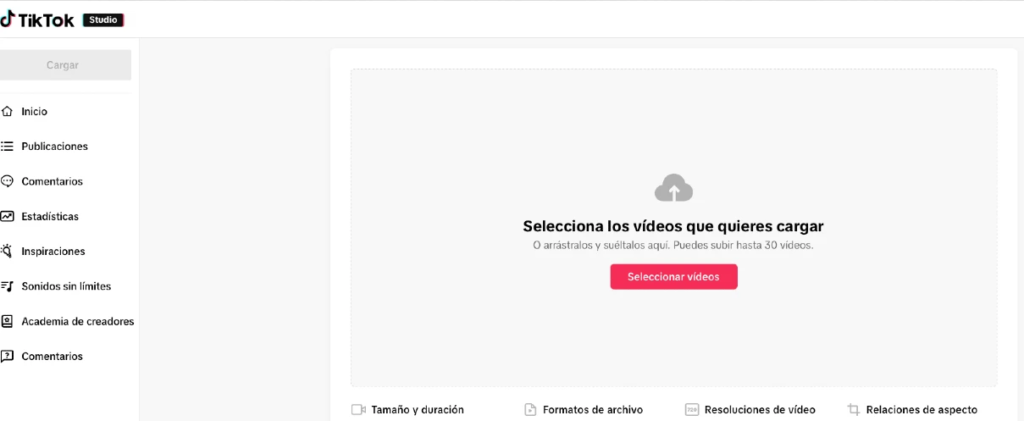
2. Using the TikTok Studio App
In addition to the web version, TikTok has TikTok Studio, a tool that, in some cases, allows you to schedule content in a similar way. However, the availability of scheduling in the standalone TikTok Studio app may vary depending on your region or the version you use. For this reason, the safest option for all users is still to access TikTok Studio from the web version.
Scheduling videos on TikTok is possible and not a complicated task if you know the right options: Video Scheduler and the TikTok Studio app. These tools, provided by the platform itself, allow you to plan your content strategy without having to resort to external applications.
Put these steps into practice and enjoy the convenience of having your content ready for publication on the date and time that suits you best!
